 Strata Launcher
Everything it does, in the order the launcher would list it.
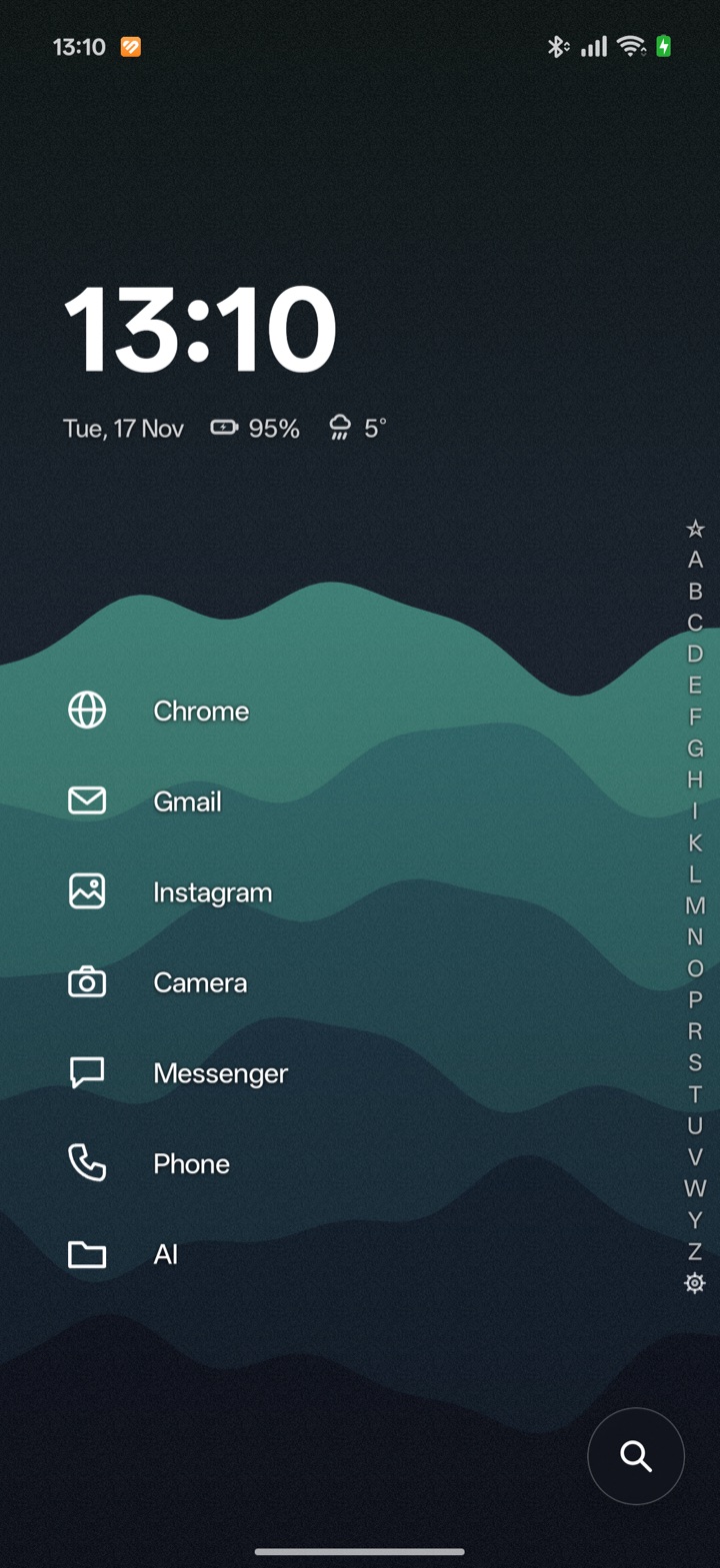
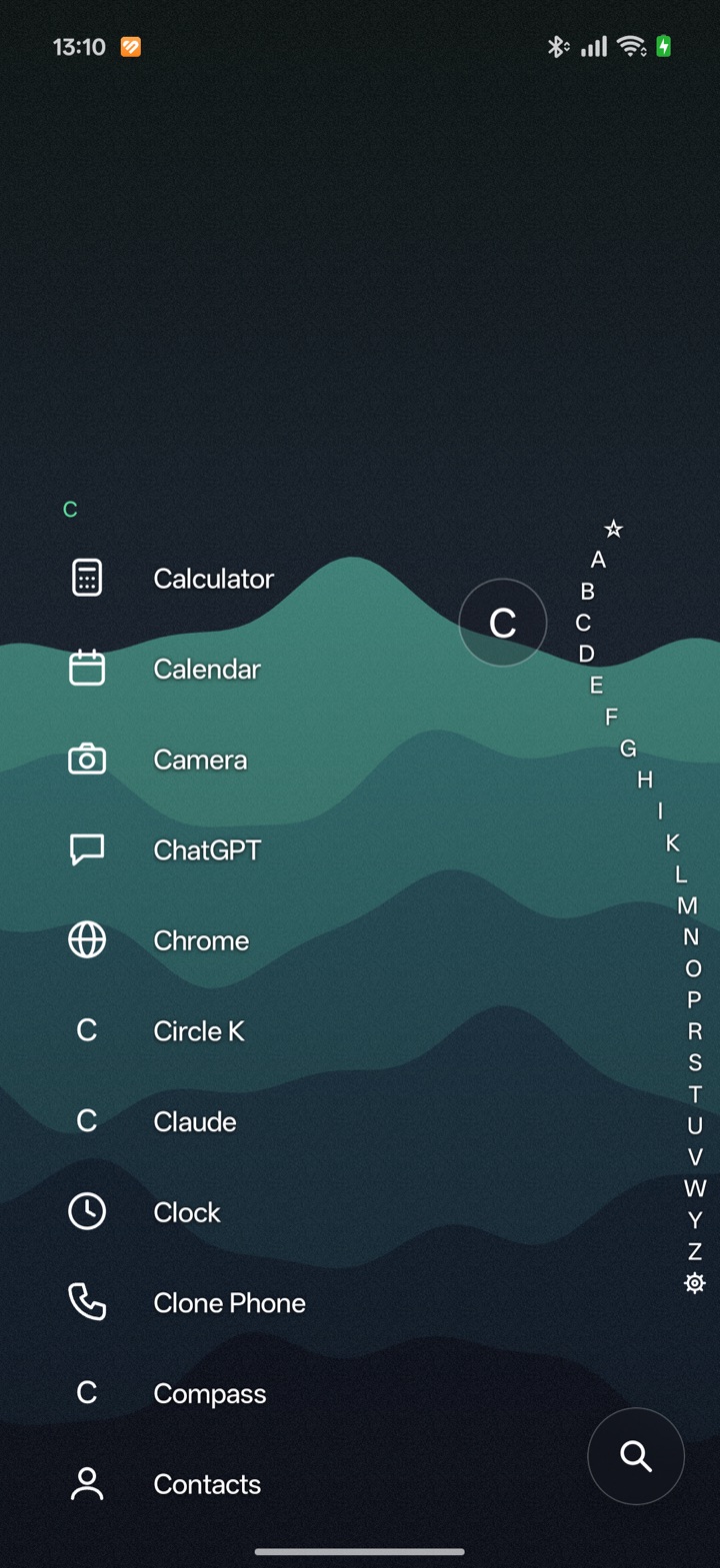
The app drawer in Strata is a single alphabetical list. So is this.
Alphabet strip
Rest your thumb on the right edge and slide. The letters bend around your finger, a glass bubble names the one you are on, and the list shows just that letter's apps.
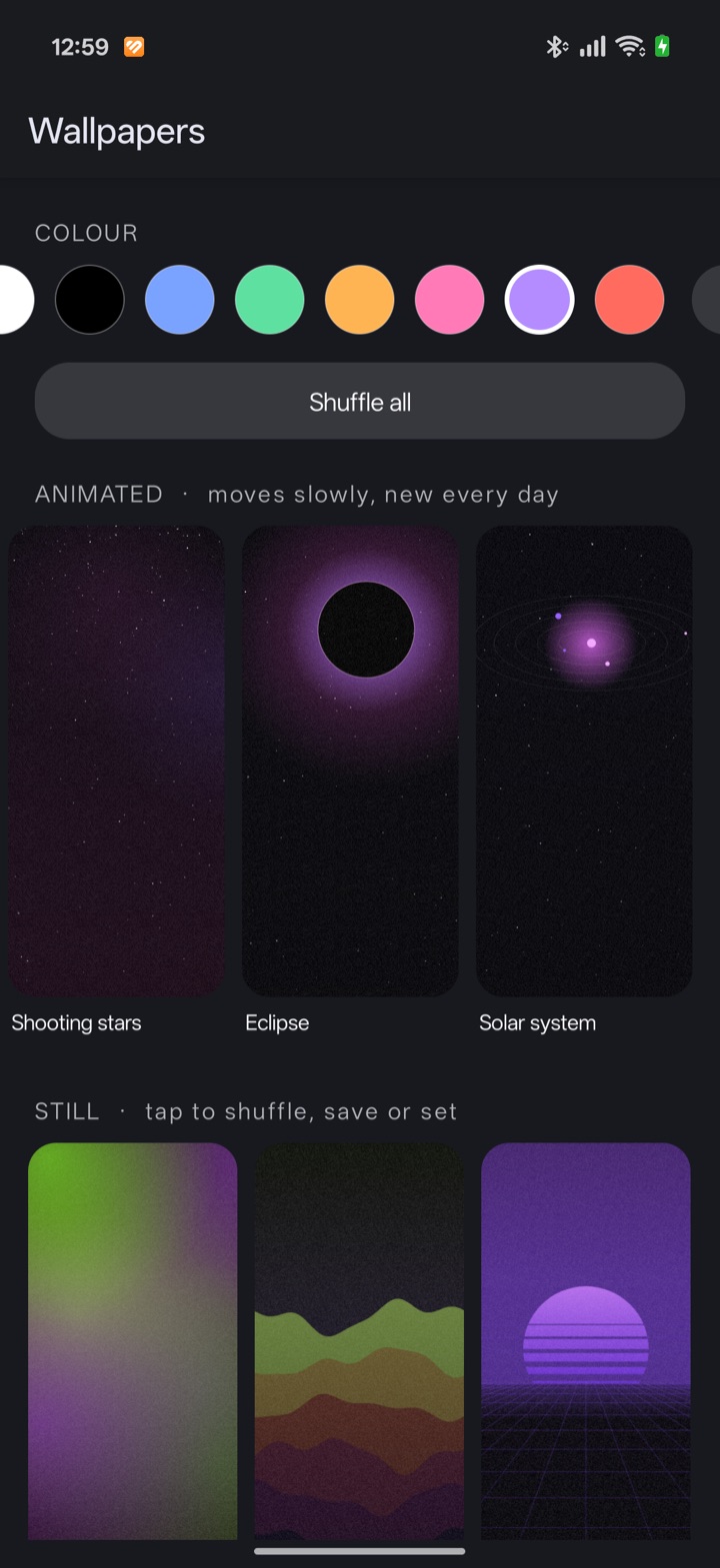
Animated wallpapers
Thirty-three that draw themselves: aurora, fireflies, rain, city lights, a spiral galaxy, a spirograph and more. Each makes a new variation every day.
Clock, date, battery and weather
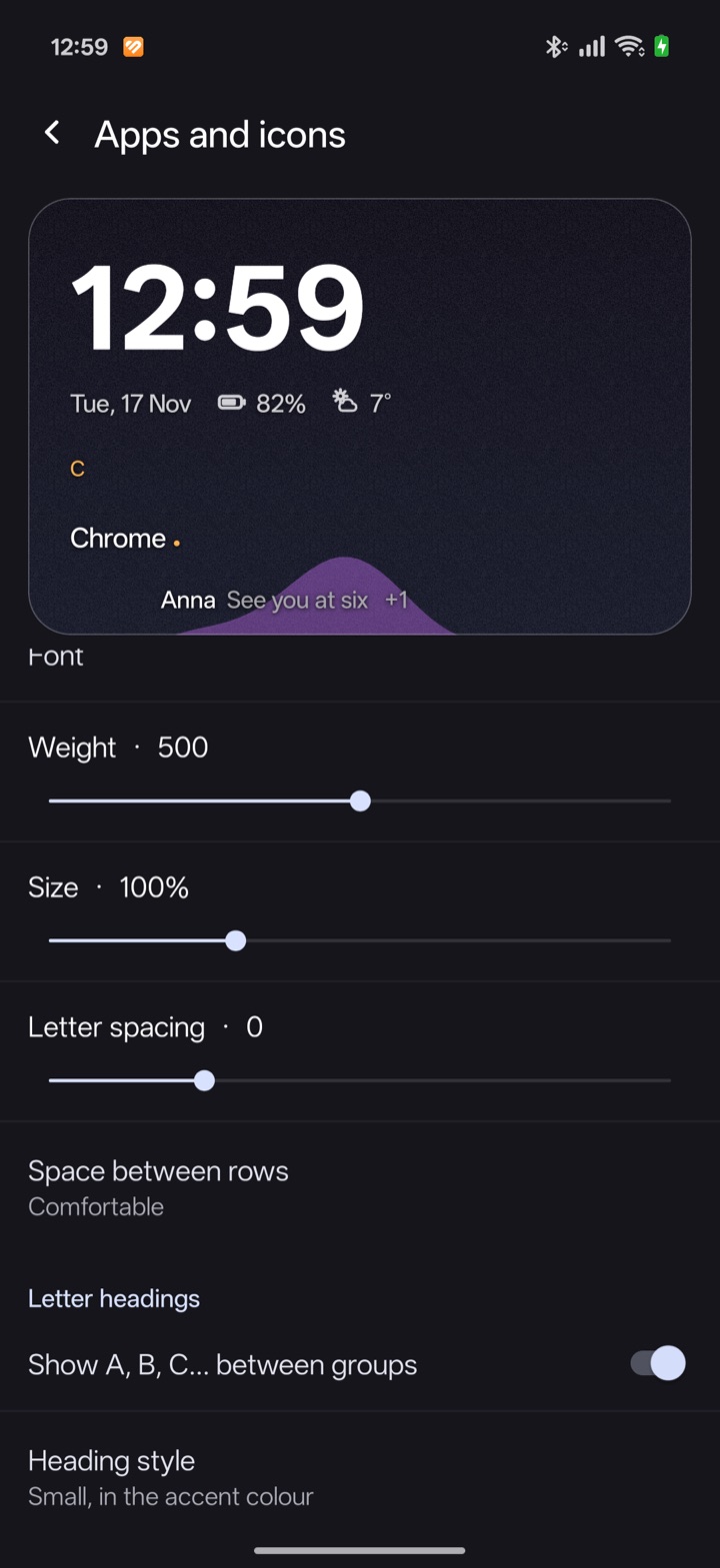
One header you can drag up or down to where your eyes land. Pick its font, weight and size; tap the weather or the clock to open the app behind it. Your next calendar event sits underneath.
Favourites
Pin the apps you open daily and put them in your own order. They sit low on the screen, where one hand reaches, with suggestions from what you use most.
Folders
Group apps under one row. A folder's icon is drawn from the apps inside it and follows your icon style.
Glass
The search field, menus, toasts and the music pill are real frosted glass: they blur the wallpaper and the list behind them rather than faking it with a grey box.
Generated wallpapers
Sixteen still styles, from contour lines to retro sunsets. Choose a base colour, light or dark, shuffle until one fits, then set it or save it to your photos.
Icon styles
Keep the original icons, tint them to one colour, or trace them into thin outlines. Force every icon into a circle or a rounded square, or load an icon pack.
Notification previews
The newest message shows as one quiet line under its app's name, so you read it without pulling anything down. Silent notifications can stay out.
Now playing
A slim glass pill with the track and play, pause and skip, whenever something is playing. Swipe it away when you do not want it.
Search
Swipe up anywhere and type. It finds apps, contacts and app shortcuts, answers sums as you type them, and hands anything else to the web.
Settings you can search
Seven plain topics, a live preview of your home screen while you change fonts and icons, and a search box that finds any option by name.
Shortcuts on long press
Hold an app for its own quick actions, such as a new message or a new tab, along with pin, hide, folder and uninstall.
Text that follows the wallpaper
Put up a pale wallpaper and the clock, names and icons turn dark by themselves. Or fix them to light or dark.
Widgets
Add the widgets you already rely on below your favourites.
On a real phone.
Taken on an Oppo Find X9 Pro, with wallpapers the launcher generated itself.
What it does not do.
- No ads, no account
- There is nothing to sign in to and nothing being sold on your home screen.
- No analytics
- Which apps you open is counted on the phone, to order your suggestions, and stays there.
- One network request
- The weather comes from Open-Meteo, using a location rounded to roughly ten kilometres. Turn weather off and the launcher never goes online.
- Every permission is optional
- Contacts, calendar, location and notification access each switch on one feature. Say no and the rest works the same.